Skuvet
Platform
Platform overviewSupplier & vendor onboardingSupplier verificationProduct onboarding & readinessIntelligent workflowsGovernance & approvalsEnterprise integrations & security
Solutions
All solutionsSupplier registrationVendor due diligenceDocument collection & validationSupplier onboarding automationProduct data readinessSupplier compliance workflowsSupplier lifecycle operations
Industries
Industries overviewManufacturingRetail & E-commerceConstruction & InfrastructureBanking & Financial ServicesHealthcare & Life SciencesTechnologyEnergy & UtilitiesLogistics & TransportationHospitalityDistribution & WholesaleProfessional ServicesPublic Sector
Resources
All resourcesProduct tourInsightsDocumentationFAQs
Company
About usAboutTechnology ecosystemContact
Book a demo

Product tour

Walk through Skuvet, one stage at a time.

Start with the overview film, then step through five stages of onboarding, shown with real Skuvet screens. For each stage: the business challenge, what people do, what Skuvet does and what decision is required.

Stage 1 of 5

Supplier registration

Business challenge
New suppliers arrive by email and spreadsheet, and nobody can see what has been received.
What the user does
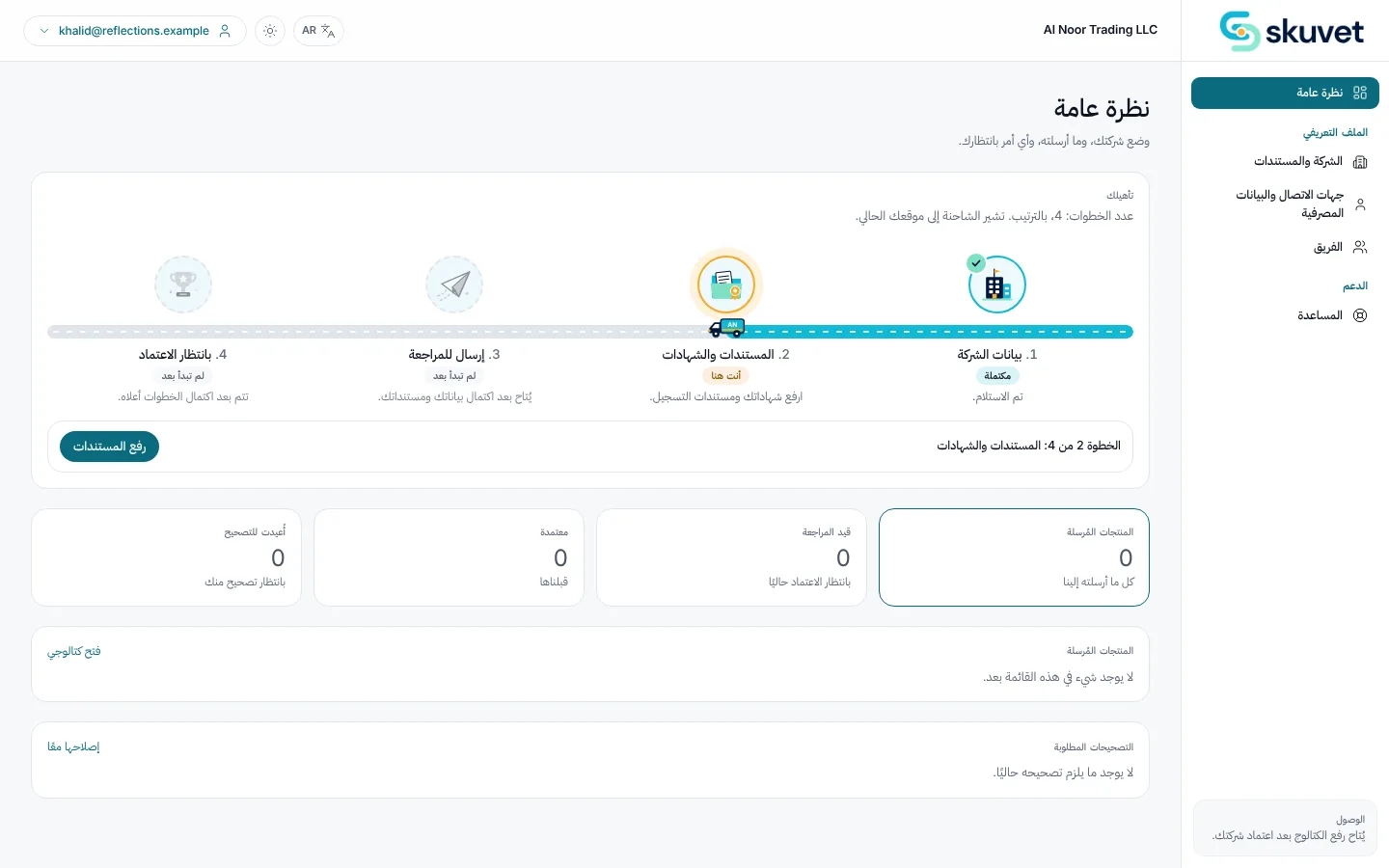
The supplier registers or accepts an invitation, completes company details and sees the steps ahead.
What Skuvet does
Presents the requirements for the supplier's category and tracks each step as received, still needed or completed.
How the system assists
The portal is available in the supplier's language, including right-to-left Arabic.
Decision required
None yet. The supplier submits when ready.
Output
A supplier record at the application stage.
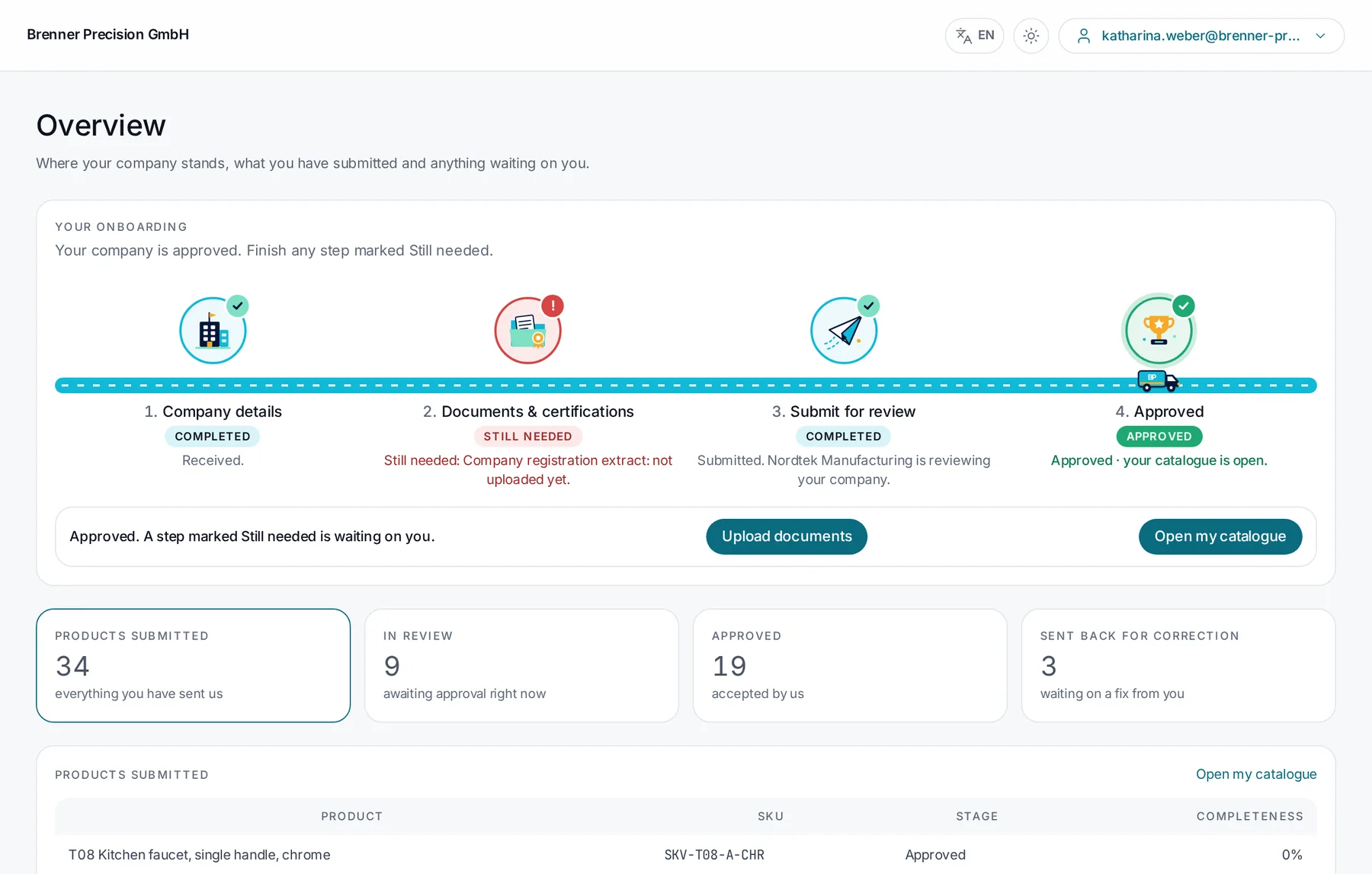
Supplier portal overview with four onboarding steps and their status
SkuvetThe supplier's overview: company details completed, one document still needed, submitted for review.
Supplier portal overview in Arabic
SkuvetThe same overview in Arabic.

Stage 2 of 5

Supplier verification

Business challenge
Registry and sanctions checks done by hand are slow, inconsistent and hard to evidence.
What the user does
A compliance reviewer opens the supplier record and reviews the screening tab.
What Skuvet does
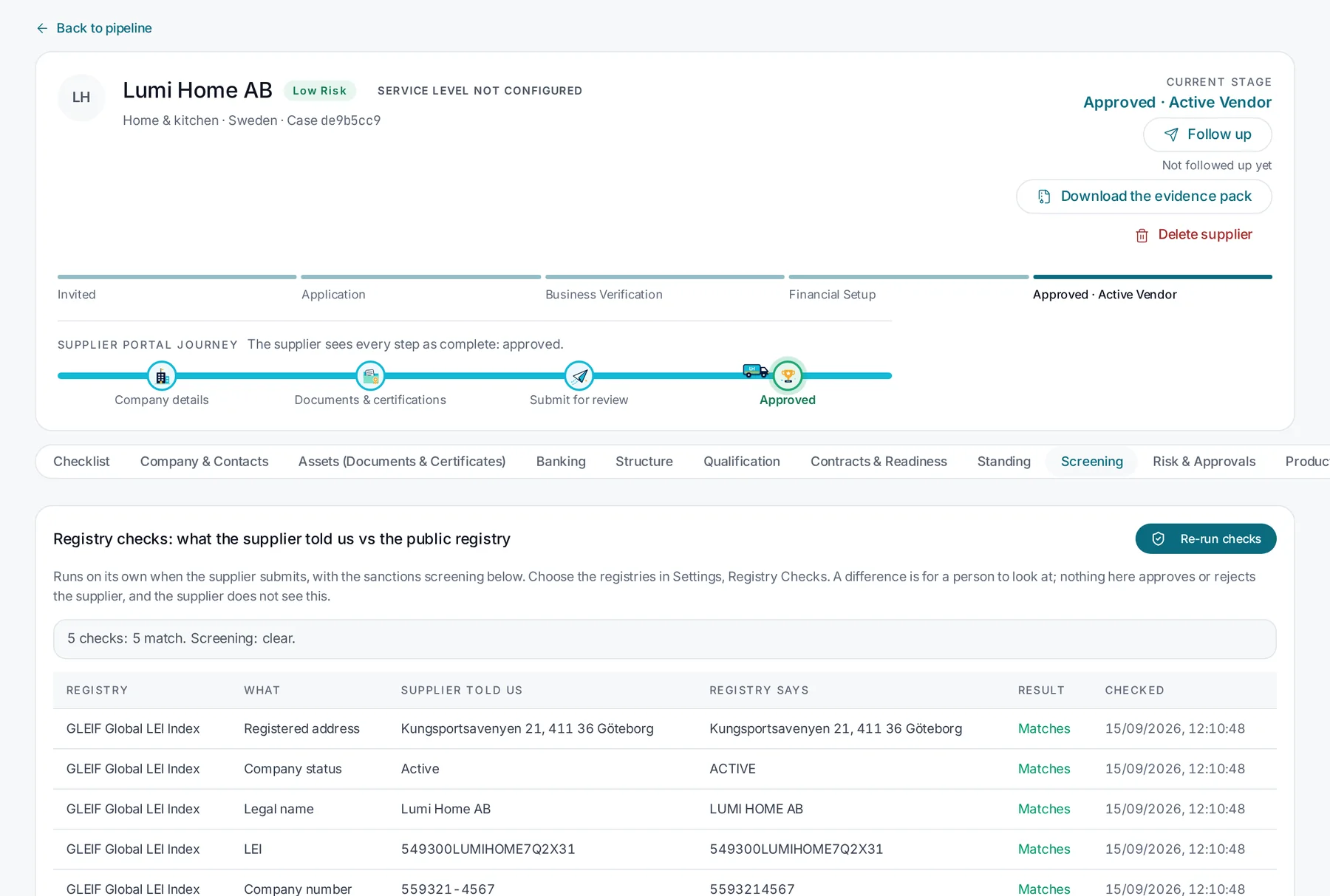
Runs the configured registry checks and screening on submission and shows, field by field, what the supplier said against what the registry says.
How the system assists
Differences are highlighted; matches are recorded with the time of the check.
Decision required
The reviewer decides whether any difference needs action.
Output
Verification results and a downloadable evidence pack.
Supplier record with registry checks comparing supplier details with the GLEIF register
Skuvet"5 checks: 5 match. Screening: clear." Each check shows its source and the time it ran.

Stage 3 of 5

Information & catalogue validation

Business challenge
Missing documents and incomplete product data are found late, after import.
What the user does
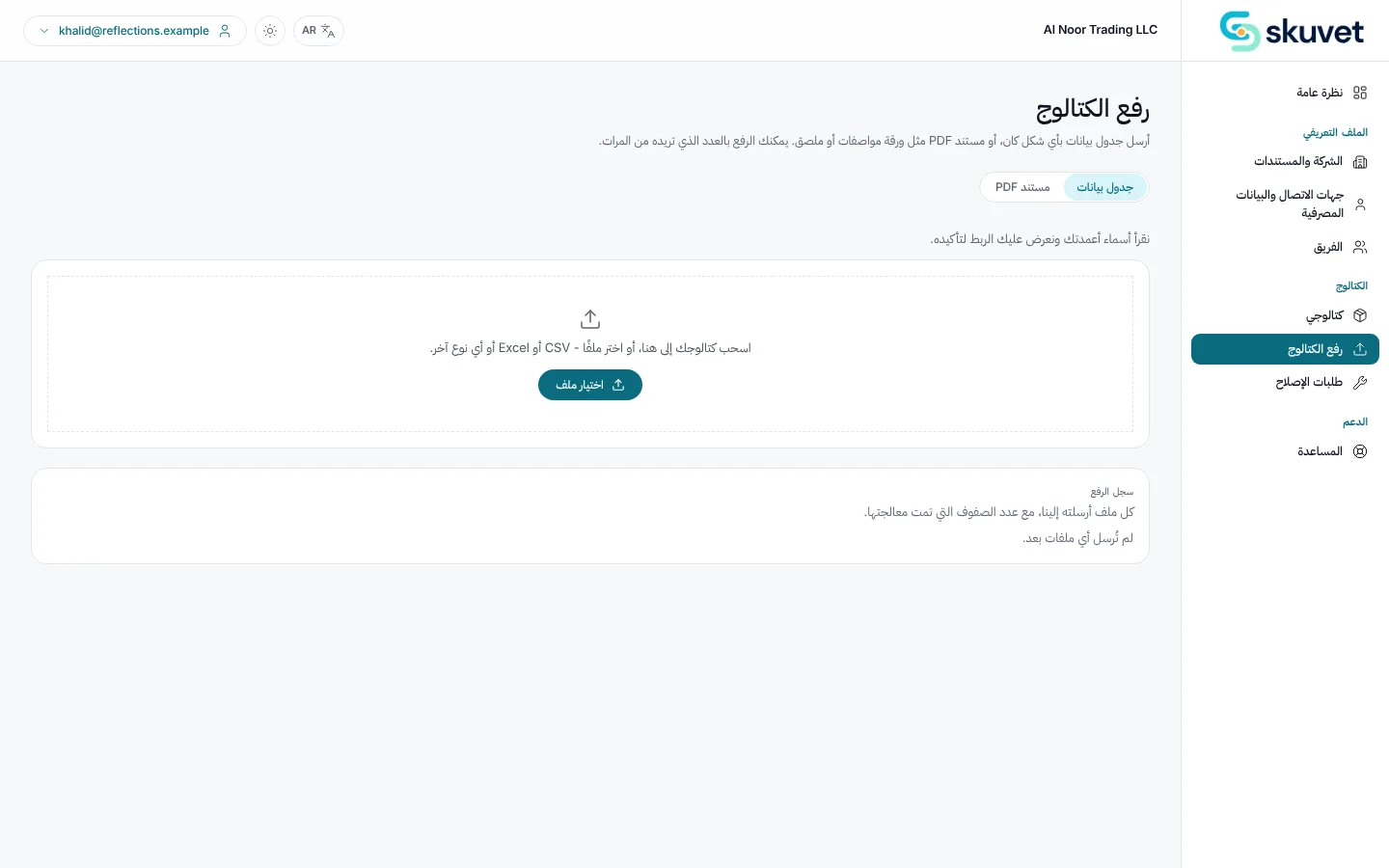
The supplier uploads documents and, where relevant, a product catalogue.
What Skuvet does
Checks required documents and expiry dates, maps the catalogue layout and applies category rules to every product line.
How the system assists
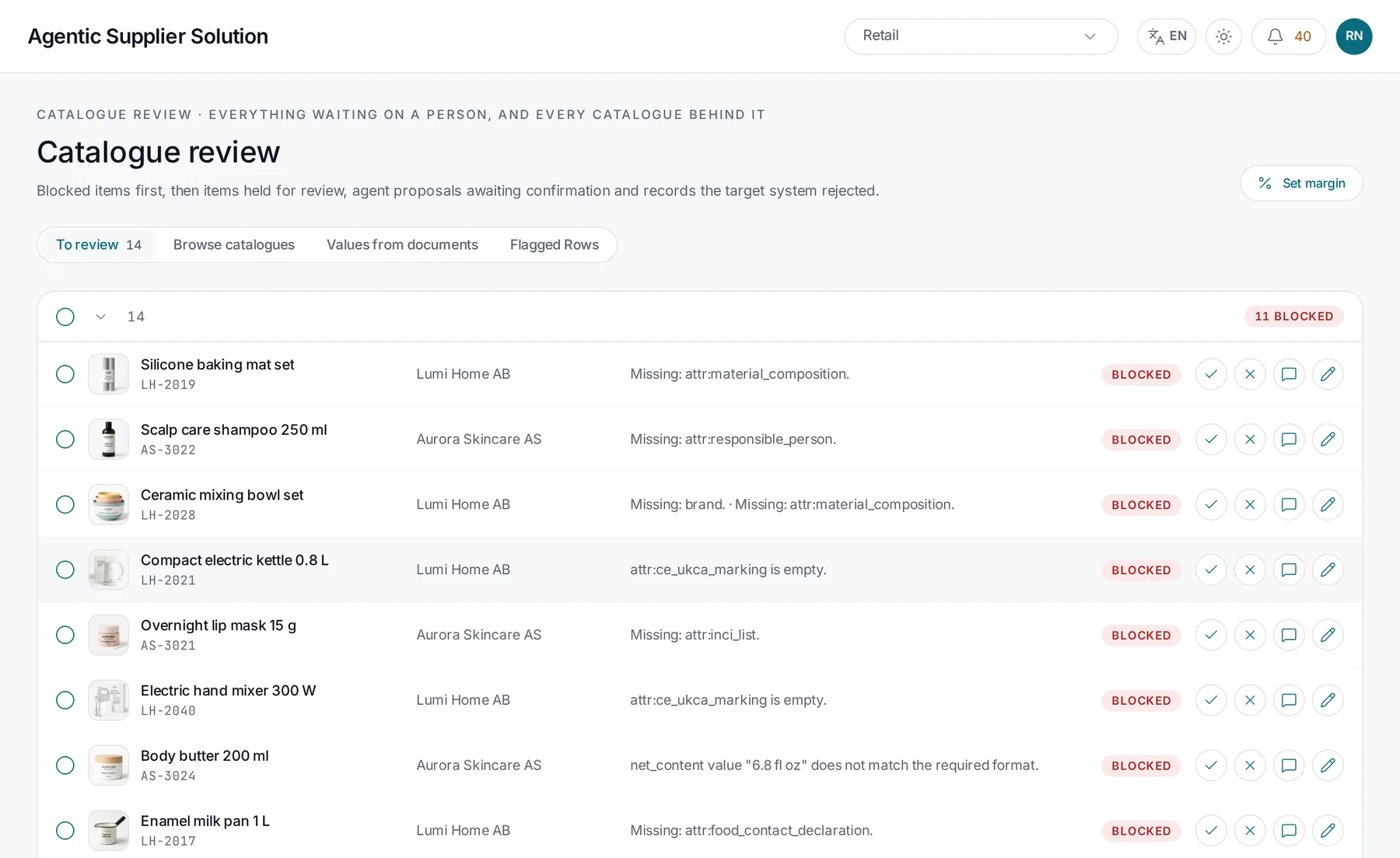
Items that fail are blocked with the specific attribute or rule, and proposed corrections are prepared for review.
Decision required
None automatic. Blocked items wait for a reviewer.
Output
A review queue ordered by what is blocked.
Document upload step in the supplier portal, Arabic interface
SkuvetDocument upload in the supplier portal.
Catalogue review with blocked products and reasons
SkuvetBlocked items first, each with the attribute that is missing.

Stage 4 of 5

Exception review & approval

Business challenge
Approvals in email cannot be traced, and exceptions sit without an owner.
What the user does
A reviewer approves, rejects or requests a supplier fix on each exception. Approvers sign off the supplier.
What Skuvet does
Presents the evidence with each decision, sends fix requests to the supplier with fields marked, and records waivers against the rule.
How the system assists
Proposed corrections can be confirmed in one step.
Decision required
Approve, reject or request a fix. Made by a named person.
Output
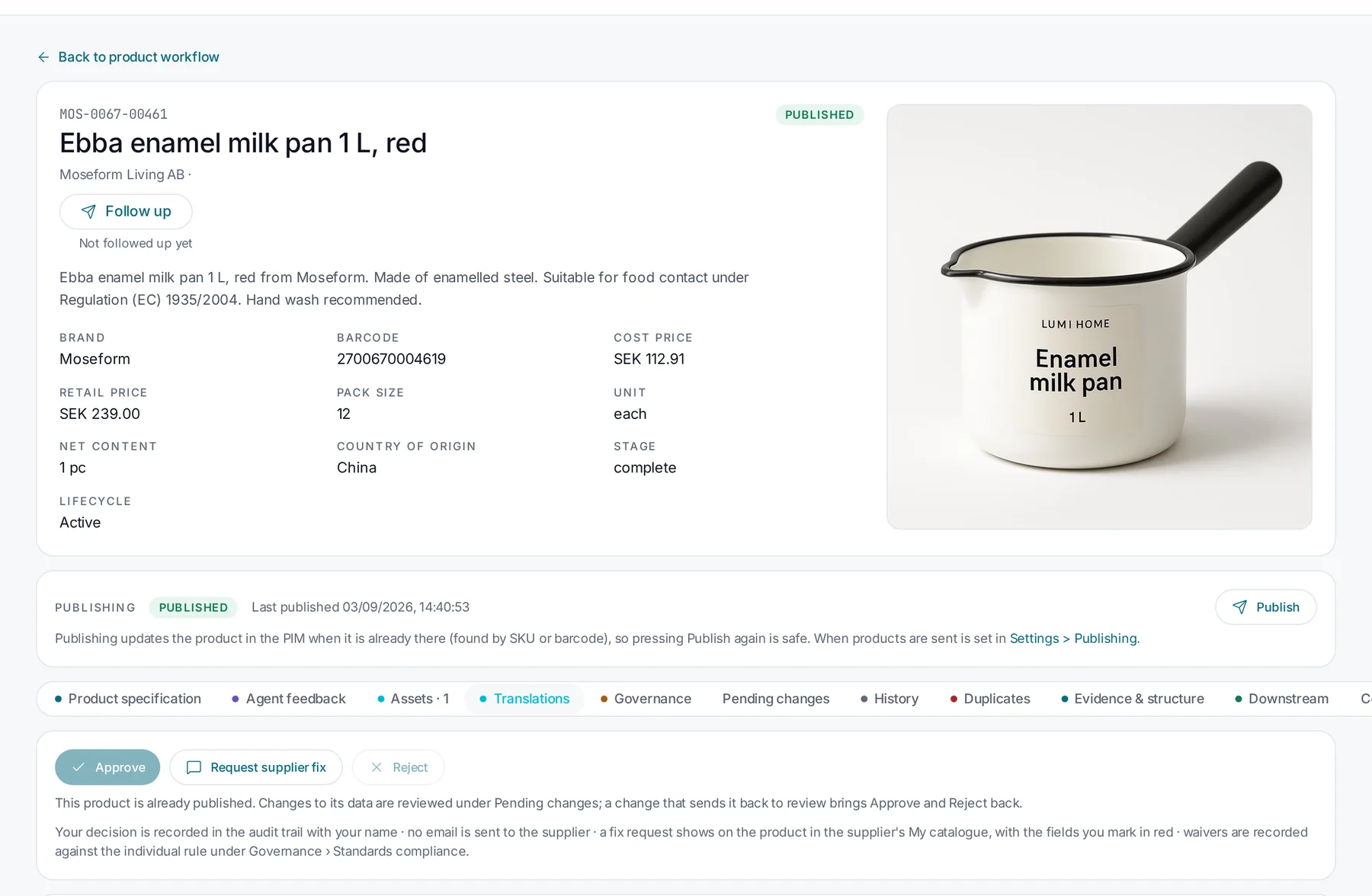
Decisions recorded in the audit trail; approved products can be published.
Product record with approve, request supplier fix and reject actions
SkuvetYour decision is recorded in the audit trail with your name.

Stage 5 of 5

Operational visibility

Business challenge
Leaders cannot see which suppliers are blocked, why or on whom.
What the user does
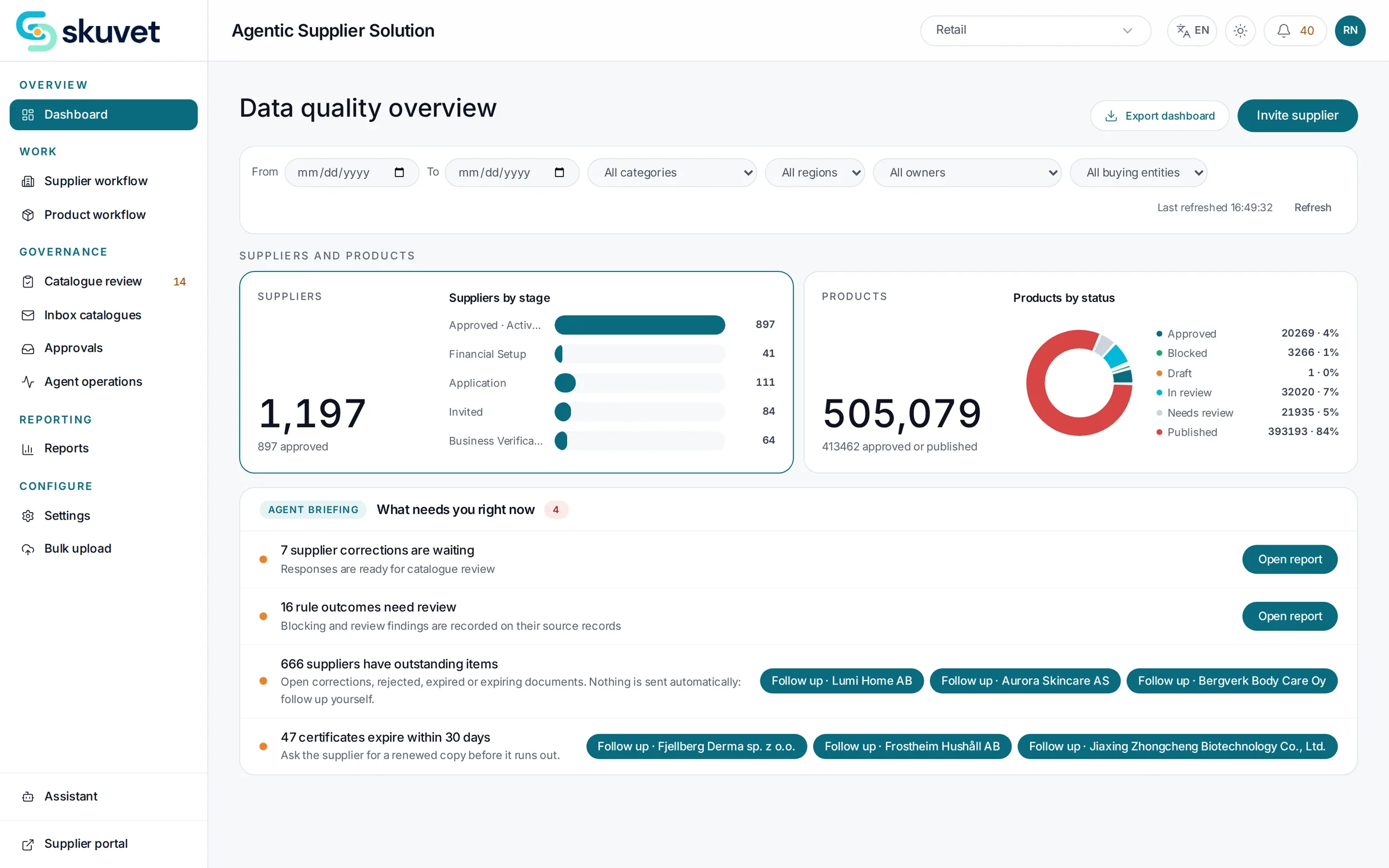
A procurement lead opens the data quality overview and filters to their categories and region.
What Skuvet does
Shows suppliers by stage, products by status and a briefing of what needs attention, including expiring certificates.
How the system assists
The briefing groups open items and offers follow-ups; nothing is sent automatically.
Decision required
Where to focus and whom to follow up.
Output
A current view of onboarding across the organisation.
Book a demo →
Data quality overview dashboard
SkuvetSuppliers by stage, products by status and what needs attention.

Experience Skuvet

See it with your own suppliers and rules.

Tell us about your suppliers, documents and systems. We will tailor the demonstration to your process.

Skuvet supplier record showing registry checks